Dial **21* on the phone that takes the calls, type the destination number in full with its country and area code, then # and press call. Every ring now goes to that second phone until you dial ##21# to stop it, and on a handset that won't accept codes the same result comes from four taps in the phone's own settings.
A phone sits on the truck dashboard, another on the desk at the shop, and the third one is the personal mobile that has been the business number since day one. Customers dial the number painted on the van. Whoever answers has to be the person who can quote the job, and that person is elbow-deep in a water heater. So the owner types a code, hears the confirmation tone, and assumes the problem is solved.
It usually isn't solved yet. Forwarding calls to another phone is a chain, not a switch: the ring timer has to beat the carrier's voicemail, caller ID has to survive the hop, the second line nobody remembered has to be covered too, and the fallback has to be a phone someone really carries. Get one link wrong and calls land in a mailbox, a dead SIM, or an old office line.
The network side of this is old and settled. Mobile-cellular subscriptions worldwide climbed from 962 million in 2001 to 8.304 billion in 2019, according to ITU statistics, which is exactly why the mobile endpoint became the default destination rather than the exception.
Table of Contents
- Dial Codes That Turn Call Forwarding On
- Forward Every Call or Only Missed Calls
- How to Set Up Forwarding on iPhone and Android
- Settings That Send Calls to the Right Phone
- Test the Route From a Second Phone
- Lock Down Forwarding and Plan Emergency Calls
Dial Codes That Turn Call Forwarding On
Copy the destination number from the settings screen of the phone that will take the calls, not from memory. A digit missing from the country or area code turns it into a string that leads nowhere, and handsets rarely warn you. Only then dial.
Start with the unconditional code. **21*, then the full destination number, then #, then press call. The network answers with a tone or a short message, and from that moment every call to the business number rings the other phone on the first ring, with no window in which the original handset gets a chance to answer.
| Forwarding type | Dial code (replace number) | Cancel code | Use it when |
|---|---|---|---|
| Every call (unconditional) | **21*number# |
##21# |
Owner is on jobs most of the day |
| Busy line | **67*number# |
##67# |
The line is already on another call |
| No answer | **61*number# |
##61# |
Owner answers when free and wants backup after the ring period |
| Phone unreachable | **62*number# |
##62# |
Phone is switched off or has no signal |
| Clear all rules | None needed | ##002# |
Remove every forwarding rule at once |
Practical rule: the three conditional codes stack. Busy, no-answer and unreachable rules can all be live at the same time, so keep
##002#handy as the code that wipes the lot when you can't remember what went on last month.
Dial *#21# to ask the network what's live. Many carriers reply with the rule and the destination number, which is the fastest way to catch a forward someone else left on the line. Swap the 21 for 61, 62 or 67 and the same check works on each conditional rule, so a readout showing a forward you never set is worth cancelling before it bites. Hosted business phone systems and some carrier plans reject this code set entirely. If a code fails, get the right one from the provider before you conclude forwarding itself is broken. Verizon is the common case: it uses *72 to forward every call, *71 to forward only the calls you miss, and *73 to turn forwarding off. Our forwarding codes guide lists the codes by carrier.
What the mechanism protects is the number. Forwarding ran on fixed business lines long before it reached handsets, which is why unconditional, busy-line and no-answer forwarding share one short-code logic across networks. The public number stays the anchor. The destination moves with the staff.
Keep a written list of every code you activated, with the date and the destination. When a phone changes hands or a manager leaves, that list is the difference between a clean handover and a week of calls disappearing into a mailbox.
Forward Every Call or Only Missed Calls
One question decides the setup. Are you on jobs most of the day and rarely near the phone, or do you answer between visits and want a safety net? Forward all calls in the first case, forward only the ones you miss in the second, and know that either way both approaches preserve the existing public business number, because forwarding changes where inbound calls land rather than requiring a new number.
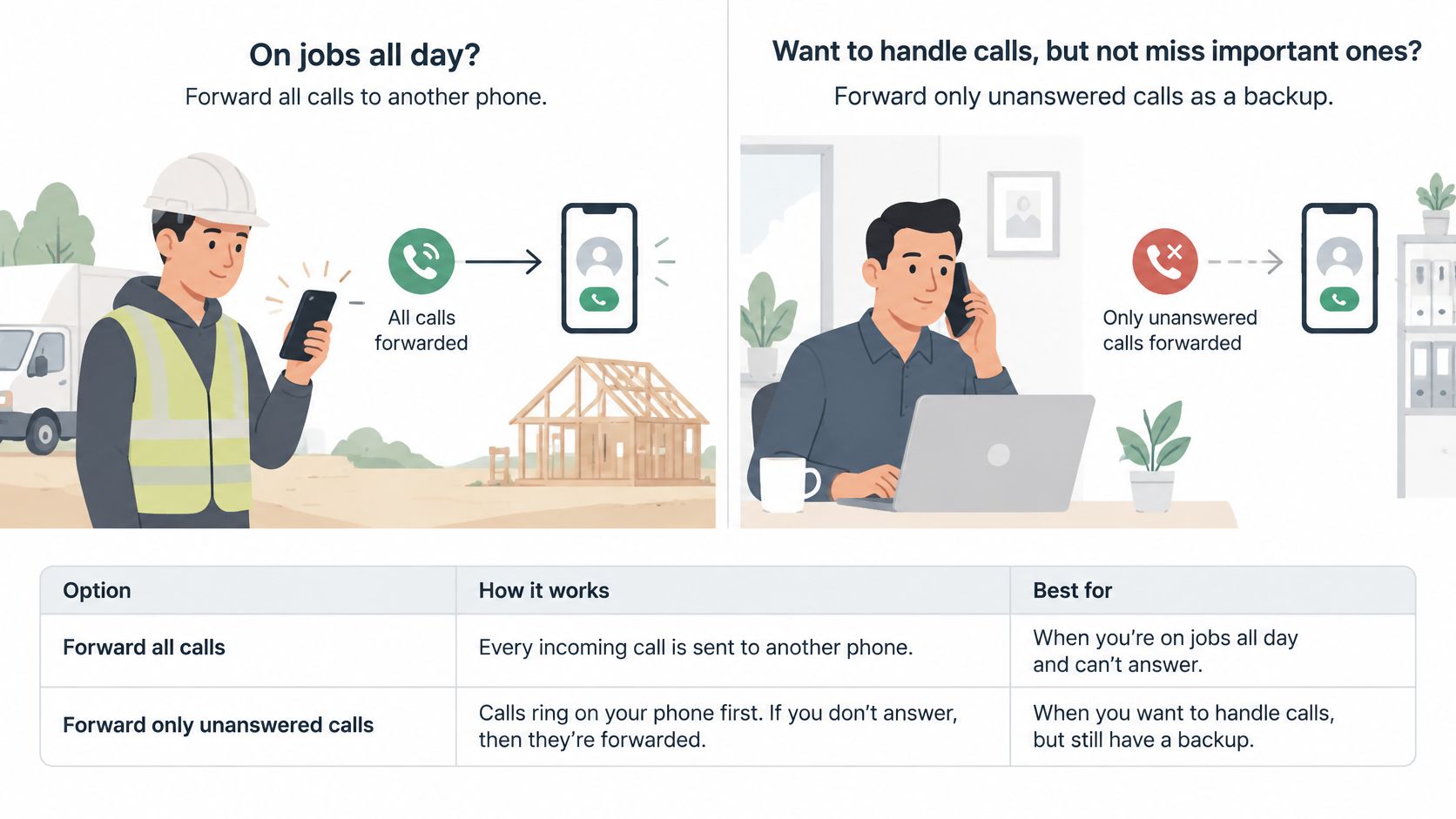
Unconditional forwarding sends every incoming call to the destination before the original phone answers. No-answer forwarding waits out the ring period first, and that period commonly runs three to six rings depending on the carrier. That gap is where the decision lives: one option removes your chance to pick up, the other keeps it and accepts a delay.
| Option | Who answers first | Best for | Main risk |
|---|---|---|---|
| Forward all calls | Destination, before the phone rings | Owner on jobs most of the day | Owner loses the first chance to answer |
| Forward unanswered calls | Owner's phone, for the ring period | Owner answers when free, with backup | Ring timer longer than carrier voicemail sends calls to voicemail first |
| Busy forwarding | Owner's phone until the line is busy | Shared lines with frequent calls | Long calls can push callers to the backup |
| Unreachable forwarding | Owner's phone until it is off or has no signal | Field crews in coverage gaps | Does not help when the phone simply rings out |
Busy and unreachable rules are backups, not strategies. Put busy forwarding on a shared line that's tied up on long calls, and unreachable forwarding on a handset that spends the day in basements and rural dead zones. Neither one rescues you when the phone sits in the truck, ringing out, which is the case most owners face.
If you'd rather watch the sequence than read it, this walkthrough runs the same setup on screen.
Two working examples. An electrician mid-way through a panel replacement forwards everything to a second mobile in the van, because there's no realistic window in which he'd answer a call that morning. An owner who takes calls between estimates sets no-answer forwarding with a receptionist as backup, so the phone rings in her hand first and only the overflow leaves the building.
Destinations vary as much as the rules do: a second mobile, an office extension, an answering service, or an AI receptionist that books the job while you're under a sink. Ansa's Sarah can be configured to answer only the calls you miss, so the business phone rings first and she catches the rest.
Write your chosen rule down, with the destination number, before you dial anything.
How to Set Up Forwarding on iPhone and Android
Carrier-independent, device-level setup is what to try first, because it survives a code the network won't accept and it shows you the state of the rule on screen. Forwarding has to be set from the phone whose calls are being redirected. You can't switch it on from the destination handset, and on many carriers you can't do it from a web account either.
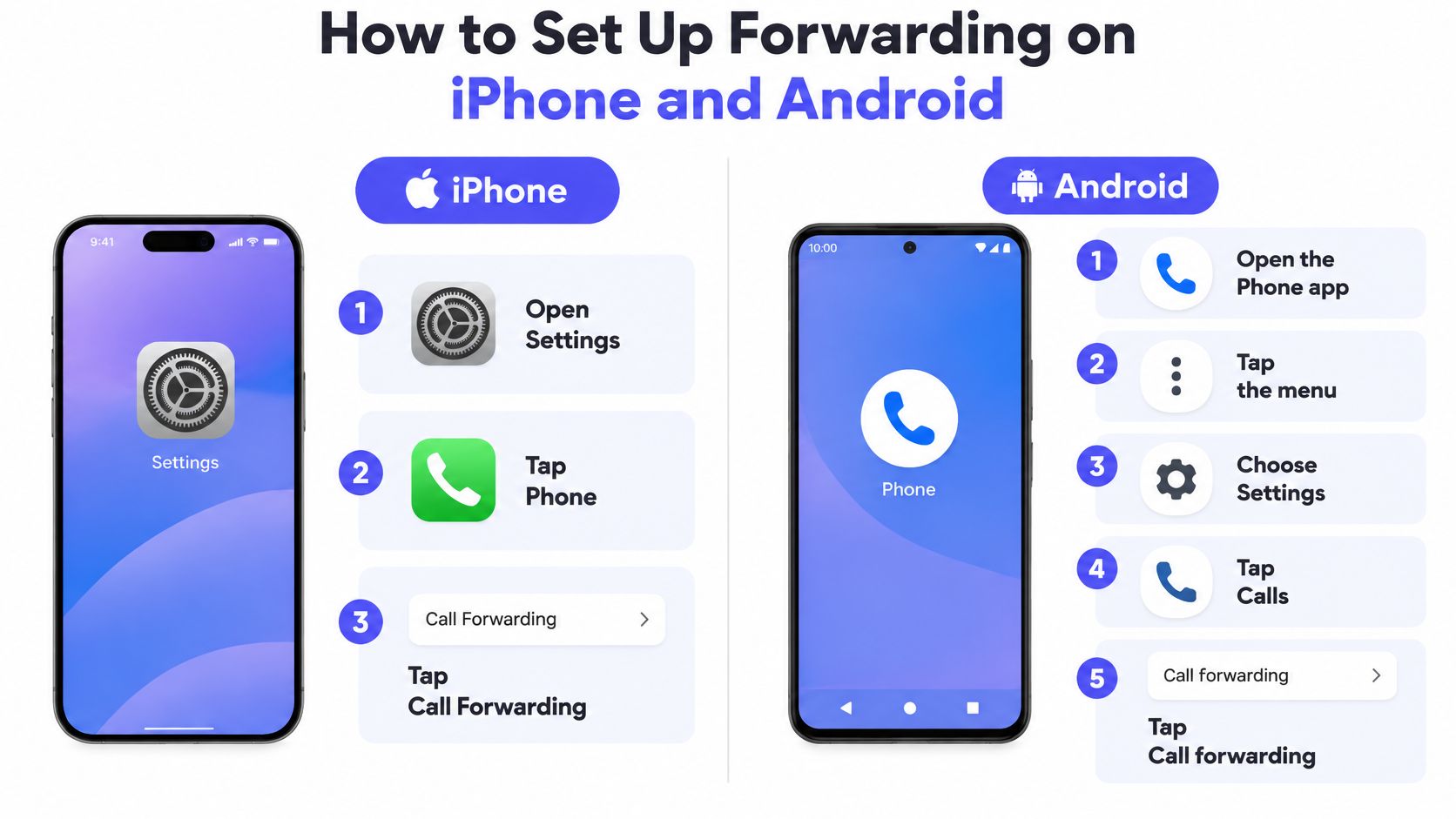
- iPhone: open Settings, tap Phone, then Call Forwarding. Newer iOS builds insert an Apps layer between Settings and Phone, which is why instructions written a couple of years ago now dead-end on a screen that doesn't exist.
- Android: open the Phone app, tap the three-dot menu, then Settings, then Calls, then Call forwarding. Several manufacturers file the same options under Supplementary services instead, so look there if the first path runs out.
- The destination: type the number in full, country and area code included. A destination that's switched off or disconnected fails without notice, so confirm the other phone is live before you save anything.
- The rule: choose all calls or unanswered only where the screen offers the choice. Where it doesn't, save the all-calls toggle and add the conditional rule with the dial code for that type.
- Confirmation: the screen shows forwarding as on, the destination matches what you typed, and a status icon stays in the bar while the rule is active.
Undoing it is the same path in reverse, or the cancel code for that rule. Turning forwarding off returns the business phone to ringing as it did before, which is the reassurance most owners want before they experiment.
What a working setup looks like is narrow and checkable: forwarding is active, the destination is correct, and the phone it runs from is the one that receives the calls. A screen saying "active" proves the handset accepted the instruction. It doesn't prove the network routes it, and you can't prove that from the forwarded phone itself.
Settings That Send Calls to the Right Phone
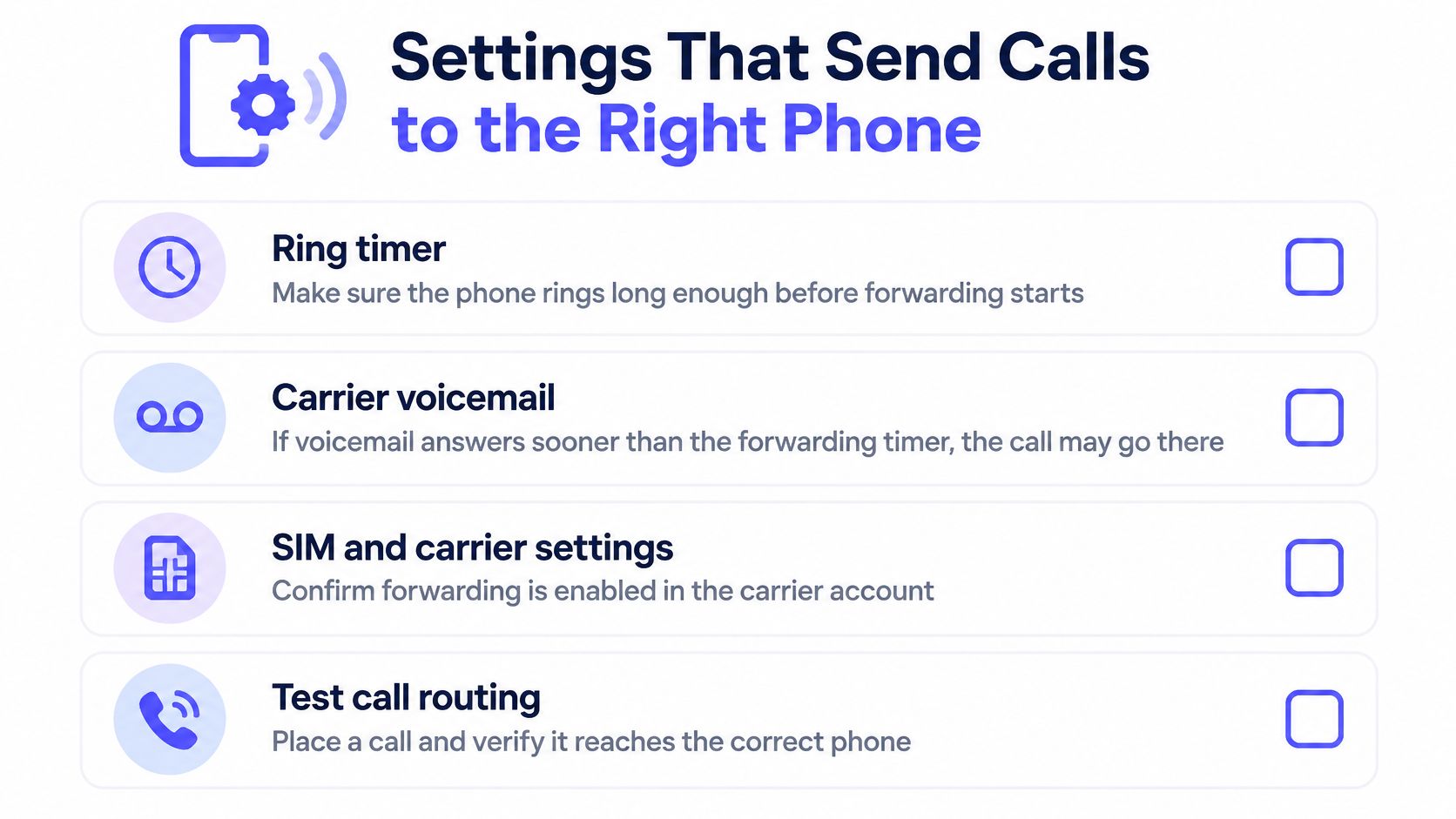
The worst misroute isn't a mistyped number. It's carrier voicemail answering before the forward fires. If voicemail grabs the call at four rings and the no-answer rule waits six, the call never leaves the handset; it lands in a mailbox nobody checks. Set the forwarding timer below the voicemail threshold, or turn carrier voicemail off on the forwarded line so there's nothing left to intercept the call.
The Checks Worth Making Before You Trust It
- Every number customers dial: the second line printed on invoices, the tracking number on the van, the old fax line still listed in a directory. Each one needs its own rule, and the forgotten one keeps sending callers to a phone nobody answers.
- Caller ID on the forwarded leg: the caller's own number should arrive at the destination rather than the forwarding system's number, so returning customers are recognized and replies or texts reach the right phone, which is how Quo's call forwarding reference puts it. Carriers now validate the number presented against signed call data, and Twilio's trusted calling documentation notes that a mismatch between caller ID and the token can get the call rejected.
- Business hours that match reality: a schedule set to summer hours in November sends after-hours callers to the wrong place, and it lets a receptionist offer appointment times you can't work. The schedule is a setting, covered in setting your business hours, and it deserves the same review as a price list.
- The emergency fallback number: stale numbers survive ownership changes and SIM swaps, so an urgent escalation can ring a device that's been in a drawer since spring while ordinary bookings still work perfectly.
A plumber who moved from a two-bay shop to a home base kept the old eight-to-five schedule in his routing rules. Weekend calls, which he'd taken for years, went to an empty office line for a month before a regular mentioned it. The settings were right on the day they were entered and wrong by the following season.
Repeat the whole set after any change to a number, a schedule, a calendar connection or a person's role. Those four changes cause more silent failures than any carrier outage.
Test the Route From a Second Phone
Start the test on a phone that isn't the forwarded one. Calling your own business number from the destination handset exercises none of the path a customer uses, and it will ring in your hand while real callers reach a voicemail box, as the Convirza guide to call forwarding points out about testing the public inbound route.
What Each Step Proves
- Ring the business number from another phone. This is the only step that tests the public inbound route the way a stranger hits it.
- Count the rings and listen to the greeting. The ring count tells you which timer fired before pickup, and the answering party should name your business rather than open with a generic hello.
- Check the caller ID on the destination phone. Some setups pass the caller's number through; others show the business line. That difference decides whether the person who answers can call back.
- Ask for a realistic booking. A service visit on a day with open slots, with a name, an address and a description of the work. This tests intake.
- Check the calendar. The appointment should appear with the right name, number, service and slot. This tests the calendar connection rather than the phone system.
- Wait for the confirmation text. This tests notification delivery, which can fail without notice when a number was entered with a transposed digit.
- Repeat with the forwarded phone busy, then unanswered, then switched off. The conditional rules only run on those three conditions, so an answered call never touches them. The powered-off call should land on whatever fallback you planned, voicemail or the next destination.
- Log each result with the date. Retest after any change to numbers, hours or calendars, because the configuration that passed in March isn't the one running in September.
A law firm that tested only the greeting heard a polished answer and assumed it was finished. Bookings never reached the calendar for three weeks, because the connection had been authorized on a partner's account that lost access. The greeting passed. The chain didn't.
Pass criteria are simple and unforgiving: every step succeeds from a second phone before the number goes on the website, the invoice or the next ad campaign. Anything less is a demo, not a test. Our guide to making a test call walks the same sequence if you want it step by step while you're on the phone.
Lock Down Forwarding and Plan Emergency Calls
A forwarding rule is a door into your business. It sends every inbound call to a device you may not control, to a voicemail box several people can open, and to a phone that belonged to someone who left last spring. A mobile number can be taken over too: the FCC's consumer guide to cell phone fraud explains that SIM-swap and port-out fraud give a criminal control of a number's calls and texts, which is enough to reset financial and social media credentials. The FCC's 2025 guidance lists sudden loss of service, or a phone that only allows emergency calls, as a typical early warning sign, and recommends contacting the carrier, banks and financial institutions straight away.
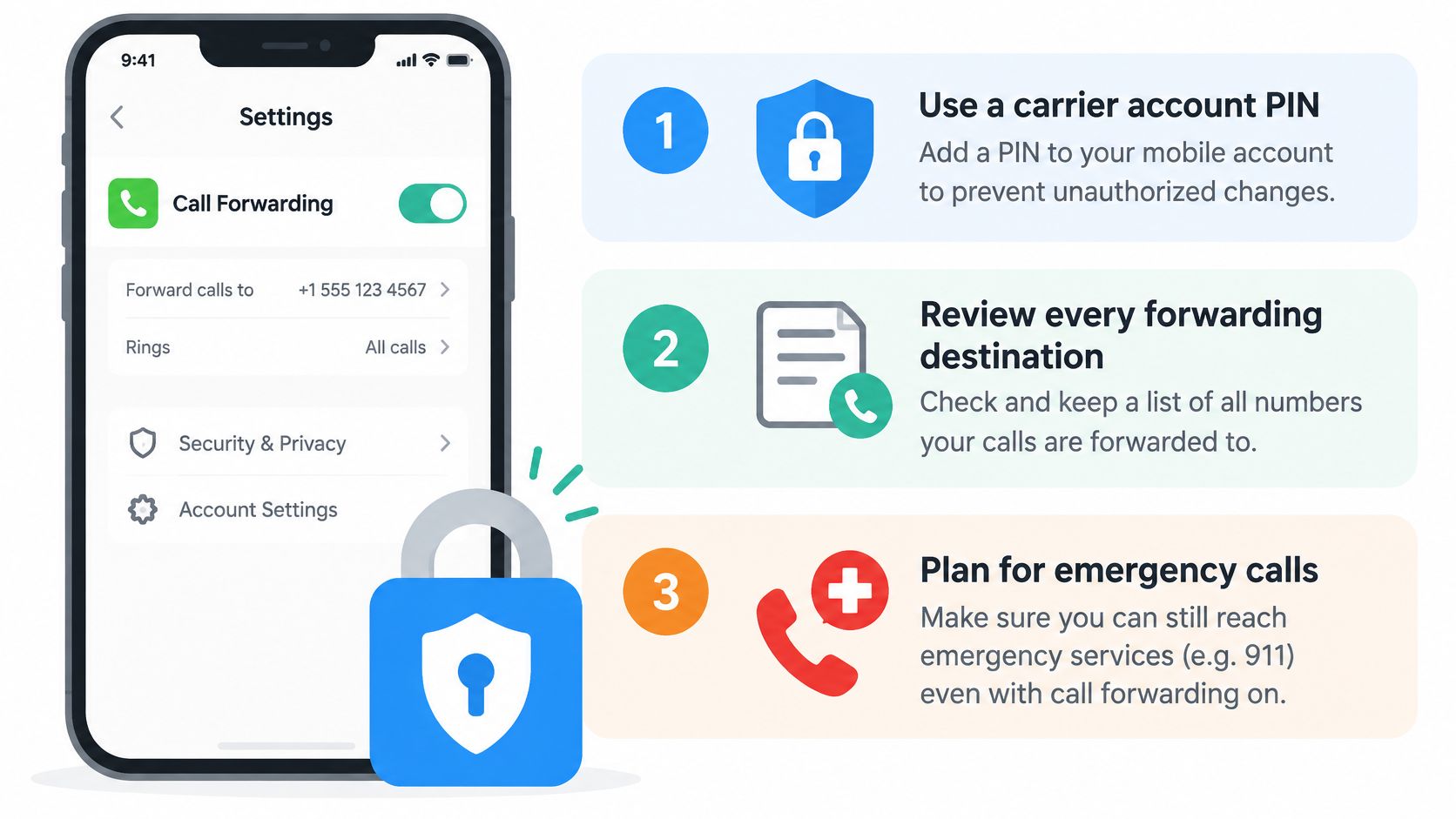
The governance is unglamorous and it works. Put a PIN on the carrier account. Keep an inventory of every forwarding destination and who owns it. Require approval before anyone changes a rule. Remove forwarding when a staff member leaves, restrict voicemail access to named people, and never let forwarded texts be the only factor protecting a login.
Emergency calls are a separate promise, and forwarding doesn't keep it. The FCC warns that VoIP 911 calls may reach the wrong public-safety center, an administrative line, or a destination that doesn't automatically receive the caller's number or location, per its guide to VoIP and 911 service. A forwarded business line, or a receptionist answering it, is never a substitute for dialing the emergency number directly.
Write it down: who receives urgent calls, what happens if that person doesn't answer, and how escalation reaches the owner's current mobile.
Plumbers, HVAC crews, electricians and law firms that advertise urgent response carry the most exposure here. Set the destination, record who owns emergencies, run the outside test, and book a review for the next staffing change. How emergencies reach you covers the escalation side in more detail.
Ansa exists for the gap this article keeps circling: the calls you can't pick up because your hands are full. Sarah answers on the first ring in English or Spanish, qualifies the job, books it into your calendar and sends the confirmation text, and you keep the number already on the van because all the setup is a forward. If you'd rather hear it than read about it, Ansa will call you back with Sarah answering as your business, so you can judge the whole route yourself.
Built with Outrank