Your business phone rings while you're under a sink, inspecting a roof, or talking to a customer at the counter. You can't pick up, but you don't want the next caller to reach voicemail either. A call forwarding service can send that call somewhere else. The important question is whether someone, or an answering system, will handle it when it arrives.
Reliable forwarding takes more than entering a destination number. You need the right routing option, the right carrier settings, and real tests for the moments when your phone is unanswered, busy, or unreachable.
Table of Contents
- Routing Options Compared at a Glance
- Always-On or Unanswered-Call Forwarding for Your Day
- How a Forwarded Call Reaches Its Answerer
- Forwarding Codes by Carrier and Condition
- How to Set All Three Conditions Without Gaps
- Caller ID, Spam Labels and Carrier Resets
- Run a Test Call This Week to Confirm Forwarding
Routing Options Compared at a Glance
| Option | Calls redirected | Who answers | Best fit |
|---|---|---|---|
| Unconditional forwarding | Every incoming call | Person at the destination phone | No one can pick up the office line |
| Conditional: no answer | Calls not answered within the carrier's ring count | Person at the destination phone | Staff are at a desk part of the day |
| Conditional: busy | Calls received while the line is in use | Person at the destination phone | The office line is often on a call |
| Conditional: unreachable | Calls when the phone is off, out of range, or otherwise unreachable | Person at the destination phone | Staff travel or work on job sites |
| Forwarding into Sarah, all calls | Every call | Sarah answers every time | Nobody can answer at night, weekends, or during jobs |
| Forwarding into Sarah, missed calls only | Calls the owner or staff miss | Business phone first, then Sarah | The owner wants first try during the day |
Unconditional forwarding sends every incoming call onward immediately, so staff can't answer those calls on the original office line. Choose it when ringing an unattended phone serves no purpose.
No-answer forwarding gives staff a chance to pick up before the carrier redirects the call. It suits an office where someone handles the phone between other tasks.
Busy forwarding redirects incoming calls when the line is already in use. It protects the caller who arrives while you're helping someone else.
Unreachable forwarding handles calls when the phone is off, outside coverage, or otherwise unavailable. Don't confuse this with letting an available phone ring.
Sarah in all-calls mode receives every call and answers every time. Sarah is the AI receptionist from Ansa, not another phone that needs a person beside it.
Sarah in missed-calls-only mode lets the business phone ring first and picks up what the owner or staff miss. The owner can choose either mode without changing the number customers dial.
Match the option to actual staffing
Find the row that matches who's available, not who you hope will answer. A receptionist who also handles deliveries and customer check-ins isn't continuously available, even when the office is open.
The decision is also about interruptions. Our guide to handling business calls without answering the phone yourself explores that trade-off between being reachable and stopping work whenever the phone rings.
Practical rule: Choose the answering destination separately from the forwarding trigger. Deciding when a call moves doesn't decide who handles it.
Always-On or Unanswered-Call Forwarding for Your Day
Say a plumber checks office calls in the morning, then spends the rest of the day on jobs. Unanswered-call forwarding gives that plumber a chance to speak with callers while available, without requiring a rushed answer while working.
That split between office time and fieldwork is the practical decision.
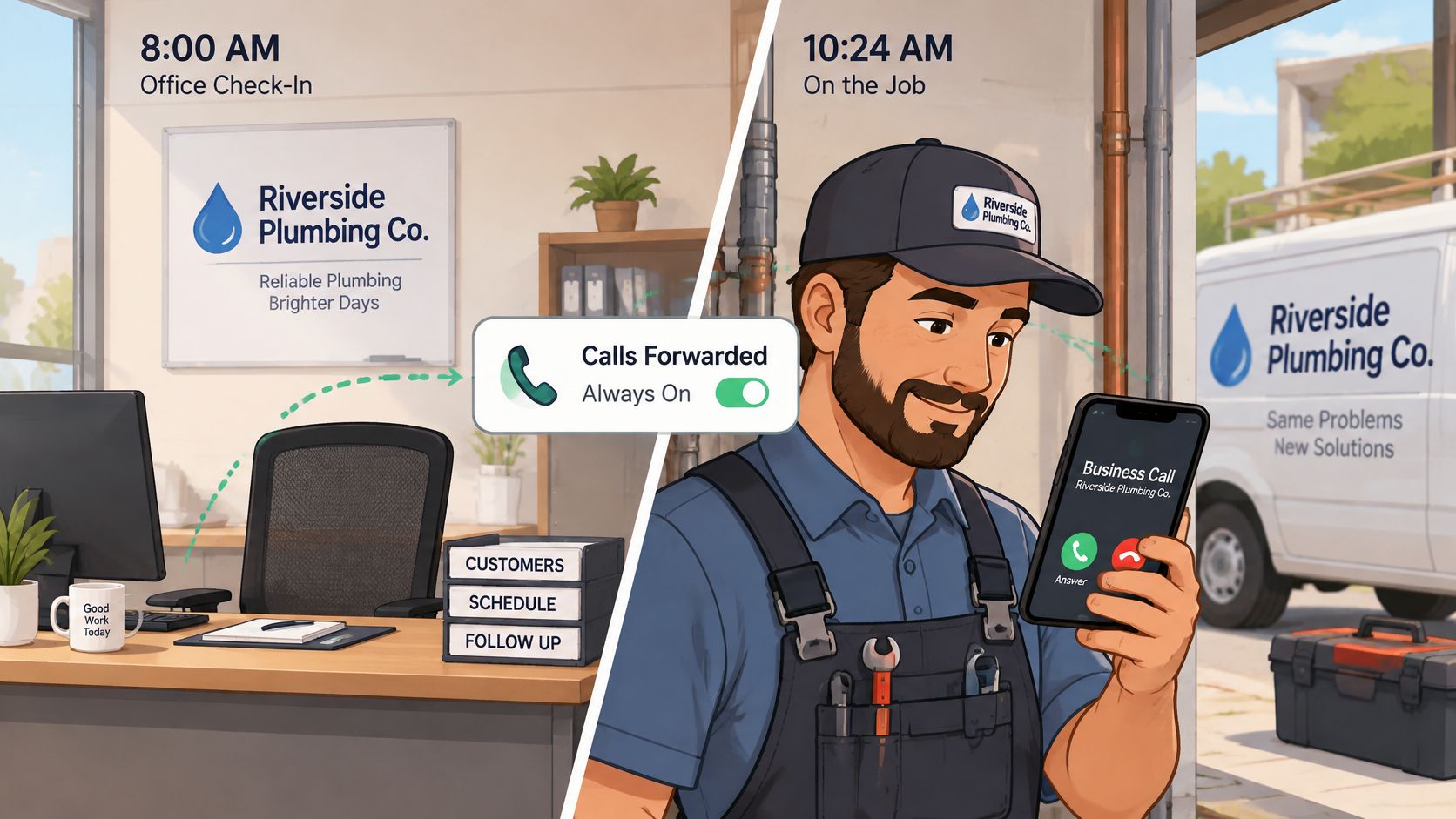
Choose based on availability, not opening hours
Use these questions to select a mode:
- Desk coverage: Does someone sit near the business phone for a meaningful part of the day?
- First chance: Does the owner or office staff want to answer incoming calls personally?
- After-hours demand: Do callers need help when the office is closed, including nights and weekends?
Unanswered-call forwarding fits a business with partial desk coverage. In Missed calls only mode, the business phone rings first and Sarah picks up the calls staff miss after the carrier's ringing period.
That means a daytime caller can still reach your office directly. Calls missed during the day, at night, and on weekends go to Sarah, provided the applicable conditional rules are active.
Always-on forwarding fits a business with nobody available to answer consistently. Say an HVAC office has two technicians in the field and no office employee. Sending every call to Sarah avoids making callers wait through ringing at an empty desk.
We answer calls 24/7, including holidays, and Sarah answers on the first ring once the call reaches her, so it doesn't go to voicemail. With conditional forwarding, the caller still experiences the business line's initial ringing period before that handoff.
Give urgent callers a defined path
Neither mode replaces an emergency-handling policy. Define which requests need immediate attention, what information Sarah should collect, and who should receive the escalation.
For a plumbing business, that might mean collecting the service address and whether water is actively flowing before notifying the owner. For an electrical contractor, the qualifying questions and escalation instructions should reflect that business's services and safety boundaries.
When a request matches an owner-escalation rule, Sarah takes the caller's details and passes them to the owner rather than booking. Don't use routine appointment availability as the only test of urgency.
If you miss only a few calls during working hours, choose unanswered-call forwarding. If you miss most of them, choose always-on.
A mixed weekday and after-hours schedule requires carrier or answering-service support for time-based rules. Confirm that support before expecting a conditional setting to change automatically at closing time.
How a Forwarded Call Reaches Its Answerer
Think of forwarding as a relay race. The caller starts the call, the forwarding rule hands it onward, and the destination receives it. Someone at the far end still has to pick up.
The handoffs look like this:
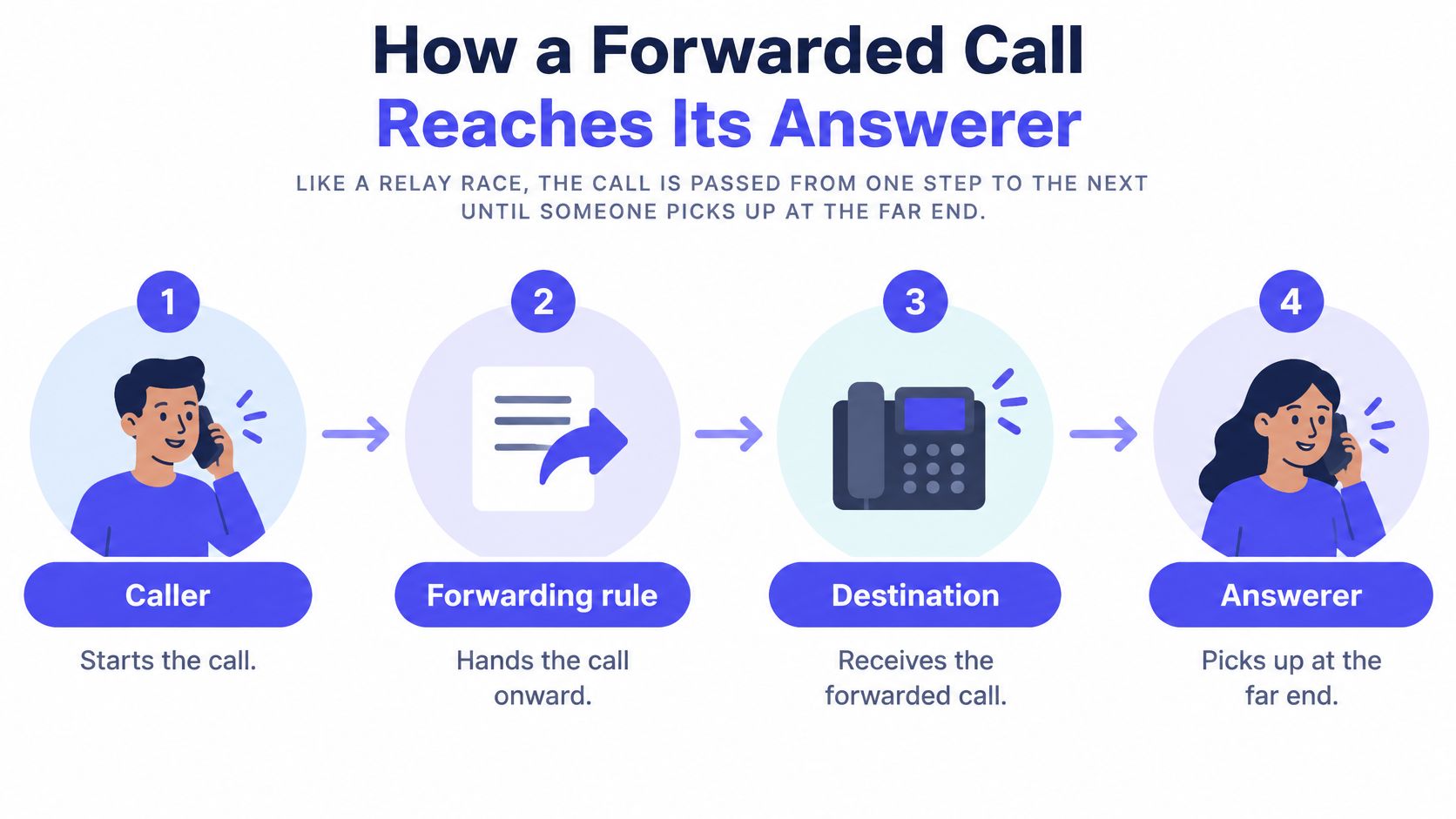
With simple forwarding, your carrier redirects the incoming call to another number. That destination phone rings, but the call remains unanswered until someone picks up. If nobody does, the caller may reach voicemail rather than get help.
Conditional rules act only when their conditions occur. Verizon's forwarding documentation describes its conditional option as forwarding when the phone is busy or unanswered after roughly three to six rings, while unconditional forwarding sends all calls to the selected number.
Separate the number from the answering work
A useful concept map has these parts:
- Public number: The business number customers already know.
- Forwarding rule: The carrier setting that decides when to redirect an incoming call.
- Answering destination: The phone or service receiving that redirected call.
- Follow-up action: A conversation, message, booking, or escalation that addresses the caller's request.
Businesses keep their own number by forwarding their existing line to Ansa. Customers dial the same number as before, and there's no need to port it.
When the destination is Sarah, the handoff reaches an answering layer rather than another unattended handset. She answers configured questions, collects the caller's information, including service address and urgency, and can book an eligible job on the connected calendar and text you the details.
For a closer look at that answering workflow, see our call-answering service. The distinction is operational: moving the ring and handling the inquiry are different jobs.
This video provides another way to follow the call's path.
A forwarded ring isn't a handled lead. Confirm that a person or a configured system processed what the caller needed.
For example, a calendar entry with the correct service address demonstrates more than a ringing destination phone. A useful test follows the caller through the final action, not just through the carrier's redirect.
Forwarding Codes by Carrier and Condition
A missed call can reach your answerer through three conditional routes, and each one is activated separately. Forwarding is a chain with three possible break points: the condition, the carrier's code for it, and the dial string itself. A code that works on one network can do something different on another, so treat the table as a reference and build each complete string before dialing.
The 800.com carrier-code reference lists generic GSM prefixes **61* for no answer, **67* for busy, and **62* for unreachable, while Verizon uses *71 for its combined busy/no-answer option.
| Condition | Generic GSM code | Verizon |
|---|---|---|
| No answer | **61* |
*71 combined with busy |
| Busy | **67* |
*71 combined with no answer |
| Unreachable | **62* |
Separate from *71; set on its own |
Build the complete dial string carefully
Each entry above is only a prefix. The usual structure is activation code, destination number, then the carrier-required termination character. Dialing a generic prefix alone tells the network nothing about where calls should go.
Some carriers expose each conditional setting separately, while certain phone menus collapse everything behind a single toggle. Check your line's current carrier support instructions rather than copying a remembered code or a forum reply, since a string written for one network can activate the wrong route on another.
This distinction matters for your setup goal. If only missed calls should reach Sarah, configure the three conditional routes and leave immediate all-call forwarding off. If every call should go to her, that is a different rule entirely.
Keep a small routing record:
- Line and carrier: Identify the business number being configured.
- Active conditions: Record no answer, busy, and unreachable separately.
- Destination and syntax: Save the answering number and the complete supported dial strings.
- Verification date: Note when you checked the instructions and tested each path.
Verizon's combined *71 option covers documented busy and no-answer behavior, and it does not finish the job by itself. Configure and confirm the unreachable path separately before treating the chain as complete.
How to Set All Three Conditions Without Gaps
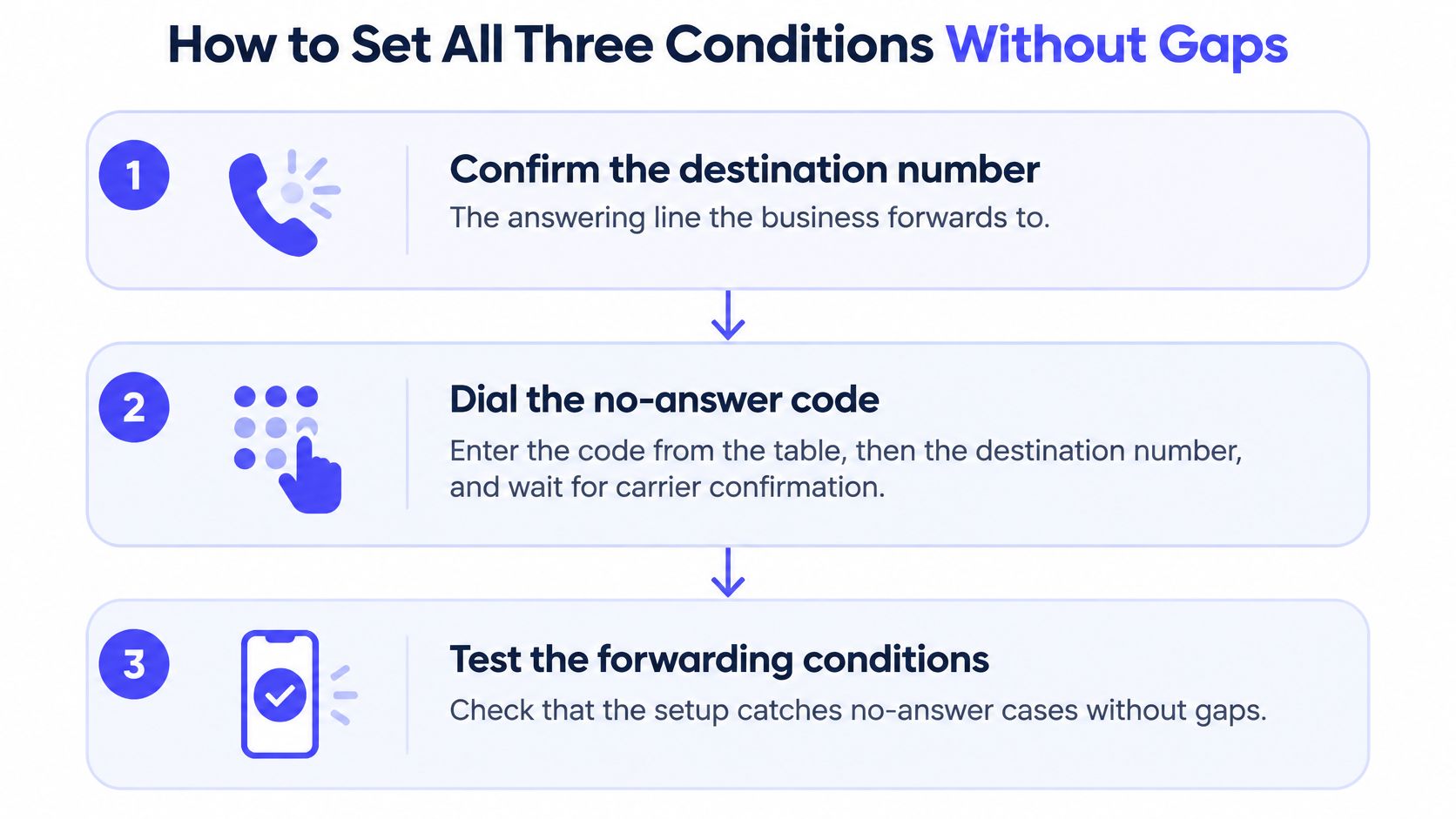
Our overall setup includes six steps, beginning with forwarding the business line to Sarah while keeping your own number. The checklist below breaks that forwarding task into separate configuration and validation actions so a successful no-answer test doesn't hide another missing route.
Use this visual as a reminder of the setup order.
Configure the destination and triggers
Confirm the destination number. Use the assigned answering line, not your public business number or an owner's old mobile number. Copy it carefully and make sure you're configuring the correct business line, particularly on a dual-SIM phone.
Activate no-answer forwarding first. Enter the carrier-supported code followed by the destination number and required ending character, or use the equivalent phone setting. Wait for the confirmation tone or message rather than assuming that pressing Call saved the rule.
Set busy forwarding. Apply the supported busy setting to the same destination, unless your carrier's confirmed combined option already covers it. Without this route, a caller arriving during another conversation may still reach carrier voicemail.
Set unreachable forwarding. Configure the carrier-supported route for a phone that's off or outside coverage. Don't assume no-answer forwarding handles an unavailable phone, because the network can treat those states differently.
Check the status of every condition. Use the carrier's status method or settings display to verify the saved destination for no answer, busy, and unreachable. A confirmation for one setting doesn't establish the others.
Prove each route with a real caller
Call while the business line is busy. Keep the business line engaged and call it from a different phone, then confirm that the intended answerer receives the call. If call waiting intercepts the test, establish with the carrier how to reproduce its actual busy condition.
Let a call go unanswered. Leave the business phone available but don't pick up, and wait through the carrier's ringing period. Confirm the answerer receives it, then complete a realistic inquiry rather than hanging up at the greeting.
Test an unreachable phone. Switch the business phone off or use a confirmed out-of-coverage state, then call its public number again. If Wi-Fi calling keeps it reachable, account for that before deciding the unreachable rule has passed or failed.
Record what happened during each test, including whether the expected follow-up occurred. For Sarah, check that the call appears in the dashboard and that the collected details match what the test caller said.
To undo forwarding, use the carrier's supported deactivation code or the phone's call-forwarding settings. Turning forwarding off returns the business phone to ringing as it did before; when removing conditional routing, verify that each active condition has been disabled.
Caller ID, Spam Labels and Carrier Resets
A legitimate caller appears as spam on the destination phone. That doesn't automatically mean you entered the wrong forwarding code. Forwarding changes the call path, and caller-ID authentication must remain usable as the call passes between providers.
The FCC's call-authentication guidance describes STIR/SHAKEN, which authenticates caller-ID information through a signed Identity header, and requires intermediate providers to pass that header downstream when received. For forwarded calls, diversion PASSporT information can document additional destinations while preserving signed identity information.
Distinguish identity problems from routing problems
Your forwarding provider should preserve valid original identity information and handle diversion metadata appropriately. It shouldn't replace the apparent caller with the forwarding service's number without authorization.
If authentication information is lost or altered, a downstream carrier may label or block a legitimate call. You can't diagnose that problem from the activation code alone.
Start with what you can observe:
| Symptom | Likely cause | First check |
|---|---|---|
| Calls go to carrier voicemail | One condition, such as busy or unreachable, isn't set | Test busy and unreachable calls separately |
| Forwarding stops after a plan change, new SIM, or new phone | Carrier reset the forwarding settings | Reapply the supported no-answer setting and confirm the destination |
| Legitimate callers show as spam | Caller-ID authentication may have been lost or altered during forwarding | Call from a second carrier and check displayed caller ID |
| Answering service rings but no record appears | Forwarding may point to a different destination number | Compare the saved destination with the assigned answering number |
| Calls stop completely | Forwarding may have been switched on in error to an unavailable destination | Turn forwarding off and test whether the business phone rings again |
Treat these as starting hypotheses, not proof. Missing dashboard records can also involve reporting or answering failures, and a call that never arrived could have been blocked before reaching the destination.
If Sarah answered and the dashboard contains the call, you know that call reached the answering layer. A spam warning on a subsequent transfer or callback points toward a later identity or labeling issue, rather than proving the initial forwarding rule failed.
Check changes before rebuilding everything
Carriers sometimes reset forwarding after a plan change, new SIM, or phone upgrade. When forwarding stops immediately after one of those events, inspect the saved conditions and destination before changing calendar connections or answering instructions.
If you turned forwarding off accidentally, the business phone returns to its previous ringing behavior. If you enabled the wrong route, disabling it can restore direct ringing while you investigate.
For an escalation, record the calling number, called number, time, originating carrier, displayed label, and whether the dashboard contains the call. Ask the carrier or forwarding provider to inspect the authentication and diversion information along the affected path.
Before blaming your own settings, test from a second carrier. A failure isolated to one originating network needs a different investigation from a failure affecting every test caller.
Run a Test Call This Week to Confirm Forwarding
Make one test call each week from a phone that isn't the business phone. Dial the public business number, use a realistic customer request, and stay on the line long enough to confirm the intended outcome.
For a Sarah-routed call, check both the conversation and the record. Sarah should pick up, and the dashboard should show the call with its written transcript and short summary.
Keep a small, useful test log
- Date and originating carrier: Record when you tested and which network placed the call.
- Condition tested: Note whether the business phone was unanswered, busy, or unreachable.
- Observed result: Record who answered, whether caller ID looked right, and whether the dashboard entry appeared.
- Follow-up check: Confirm that the message, notification, or eligible booking matched the caller's request.
Alternate originating carriers when possible, and deliberately rotate the phone conditions. Changing carriers tests another network path; it doesn't, by itself, prove the busy or unreachable rule works.
Repeat the checks after a plan change, SIM replacement, or phone upgrade rather than waiting for the next weekly reminder. If a test fails, inspect the destination and all conditional settings before changing unrelated parts of the setup.
To decide which coverage gaps deserve attention first, use our missed-call calculator alongside your call records. Keep that business decision separate from technical validation: a promising estimate doesn't prove calls are reaching the answerer.
Set the no-answer, busy, and unreachable routes, test each with a real call, and put the first weekly check on your calendar that same day. Start the routine from a confirmed setup, not an assumption.
Ansa offers Sarah, an AI receptionist that answers forwarded business calls, collects customer details, and supports appointment booking. Visit Ansa to try the free demo: enter your phone number, and Sarah will call back answering as your business so you can listen live before configuring your forwarding.